
01
Authenticate
Exchange your client ID and secret for a Bearer token using the OAuth 2.0 client credentials flow.
Fire Simulation API · For developers
Send an ignition point. Get back where the fire will go, when it will arrive and how hard it will burn — delivered to your webhook, ready to show your users. No fire science team required.
Your platform
One request
Latitude and longitude
Start time
Duration and interval
JSON in · ID back
FiSci runs it
Vegetation and fuel
Terrain
Weather
Back to you
Arrival time · Rate of spread
Intensity · Flame height
Frame by frame
FiSci maintains the fuel, terrain and weather data behind every run. You send coordinates; you get fire behaviour back.
Why it matters
Detection, exposure and incident data tell you where a fire is, or could be. Fire behaviour is the missing layer — and it has always been expensive, slow and specialist to build. The API makes it one request.
Building it yourself
With the API
Building fire spread modelling in-house means a fire science team, fuel and terrain data for every location you cover, live weather feeds and years of validation.
FiSci handles the vegetation, fuel, terrain and weather. Your team sends a coordinate and gets results back.
A detection, a policy location or an incident pin tells you where. It says nothing about when fire will arrive, how fast it will run or how hard it will burn.
Every point becomes a forecast: arrival times, rate of spread, fireline intensity and flame height, up to 24 hours ahead.
Off-the-shelf fire tools live in someone else’s interface. Your users leave your product to get the answer, and the answer never reaches your data.
Results land in your own stack as GIS-ready layers, displayed under your own brand inside your own product.
Physics-based simulation takes real compute time. Wire it in synchronously and your system waits on every run.
Requests return immediately and results arrive at your webhook. Queue hundreds of simulations without blocking anything.
A number from a black box is hard to stand behind when an underwriter, a dispatcher or a regulator asks how it was reached.
The same physics-based engine that runs inside Mitigate, with defensible, audit-ready outputs.
How it works
01
Exchange your client ID and secret for a Bearer token using the OAuth 2.0 client credentials flow.
02
POST a latitude and longitude, with an optional start time, duration and output interval. JSON in, JSON out.
03
The API returns a simulation ID straight away, and the fire model starts running in FiSci’s cloud.
04
When the run completes, FiSci posts the full results to your registered webhook — layer by layer, frame by frame.
The request
A single POST starts a simulation. Only the ignition is required — everything else has a sensible default, so a first integration can be running the same day.
Request
POST /v1/projects/123/fire-simulation
Authorization: Bearer <token>

{
  "ignition": {
    "longitude": 150.576,
    "latitude": -33.887
  },
  "start_time": "2025-10-10T14:00:00+11:00",
  "duration": 8,
  "interval": 60,
  "reference": "Wattle Creek Fire"
}
Response
{ "data": { "simulation_id": "abc-123" } }What comes back
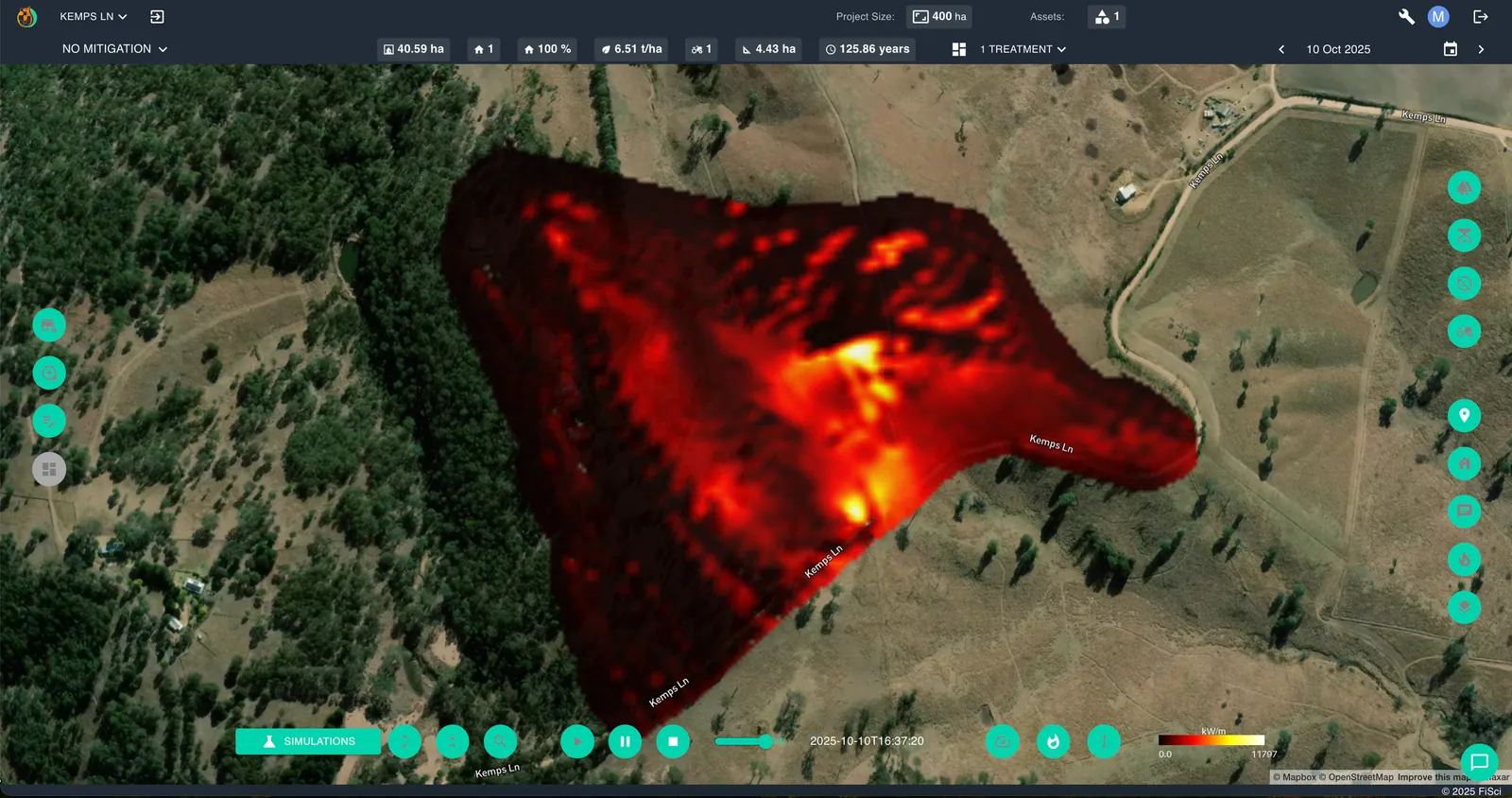
Each interval of the run arrives as its own frame, so you can animate the spread, query a single moment, or pull the statistics for any point in time.
Isochrones showing when the fire front is projected to reach each part of the landscape — and the assets on it.
How fast the fire is moving, cell by cell, through each interval of the run.
Heat output in kW/m — the measure that separates a fire crews can work from one they cannot.
The figure crews use to judge tactics and defensive positions.
Where it fits
However a fire is first reported — a satellite hotspot, a camera, a lookout, a crew on the ground, or an ignition added by hand to your incident mapping software — show where it is likely to be in one, four and twelve hours.
Model exposure for a portfolio or a single policy, and replay historical fire weather against today’s book.
Put a spread forecast beside every incident in dispatch, so resourcing decisions start from where the fire is going.
Give asset owners a live view of which sites a fire could reach, and how soon.
Generate fire-risk layers on demand and serve them alongside everything else your users already map.
Batch thousands of ignitions through climate or seasonal scenarios in a pipeline, without a person in the loop.
Why build on FiSci
REST
Plain HTTP and JSON. If your team can call an API, they can run a fire simulation.
Async
Non-blocking requests and webhook delivery keep your system decoupled from simulation runtimes.
Sandbox
A separate test environment, limited to a set test area, for checking authentication, data formats and webhooks before you go live.
Your brand
Show FiSci simulation outputs under your own brand, inside your own interface.
Simulation outputs are model predictions based on the fuel, terrain and weather data available at the time of the run. They support decision-making and do not replace official warnings or instructions from emergency services.
Request sandbox credentials and onboarding documentation from our integration team, and run your first simulation before you commit to anything.